





Manage users and permissions
Access Credentials for Unified Identity Management
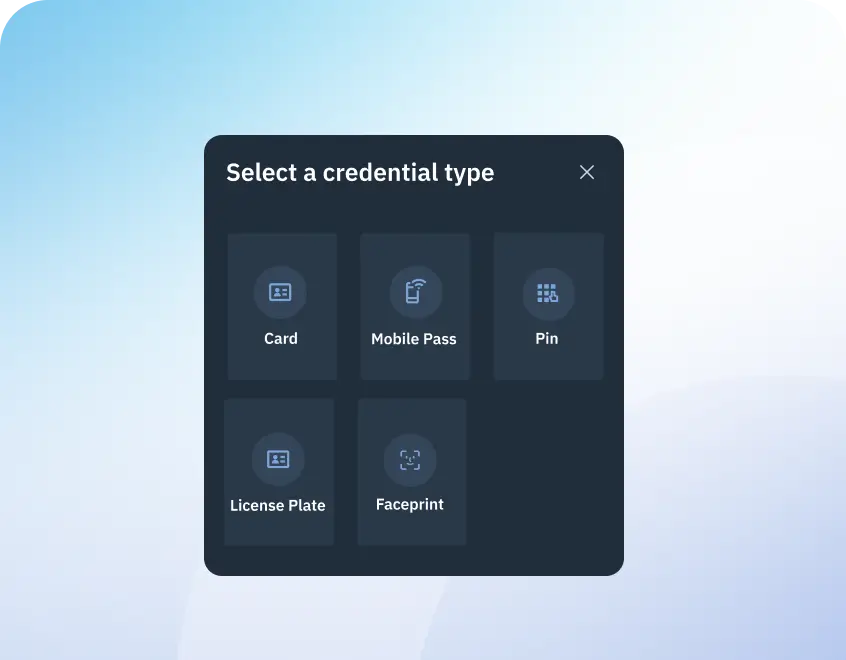
Access credentials are how users prove they have permission to enter. Credential types can include a mobile pass or digital wallet, a card or fob, a PIN on a keypad, a license plate, or biometric authentication in higher-security areas.
With Brivo Security Suite, you manage credentials centrally, control the full lifecycle, and keep policies consistent across every location.
Manage Permissions
Brivo Credentials Benefits
Manage access for all your locations remotely and in a unified manner. Cloud management means you don’t need to be on-site to keep your buildings secure or to grant immediate access to your visitors.
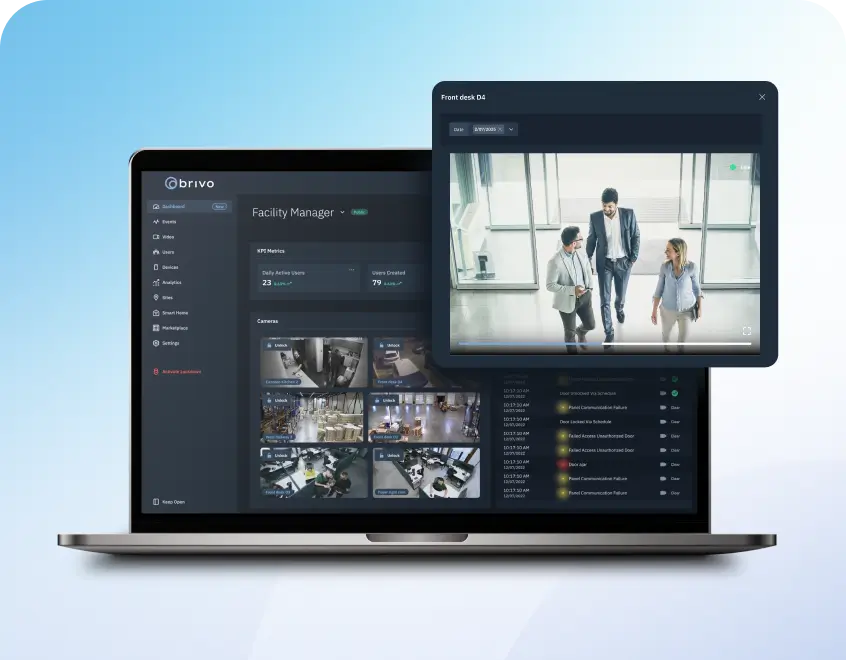
Be the team that runs every site with confidence — see activity across your locations and respond immediately
Centralized credential management
Stop tracking access credentials in spreadsheets, inboxes, and disconnected tools. Brivo Security Suite lets you issue, update, and remotely revoke credentials across all your sites from a single location, with the option to sync with other identity systems.
Faster onboarding and changes
Credential updates occur daily due to role changes, temporary coverage, and employee departures. Brivo helps teams quickly assign the right credentials and access rules, automating the Joiner-Mover-Leaver (JML) Process and reducing handoffs among IT, HR, facilities, and security teams.
Stronger security and governance
Apply consistent rules by role, door, and schedule, then remove access as needed with automated provisioning. In addition to options such as multi-factor authentication (MFA) and encrypted smart cards based on MIFARE DESFire EV3 (Common Criteria EAL5+), higher-risk doors can be configured accordingly.
Better user experience
Mobile and digital wallet credentials reduce badge handling, while cards, fobs, and PINs remain available where preferred. For guests and visitors, you can grant temporary access with clear time windows
Recognized for Excellence
Capabilities
Access Credential Options and Capabilities
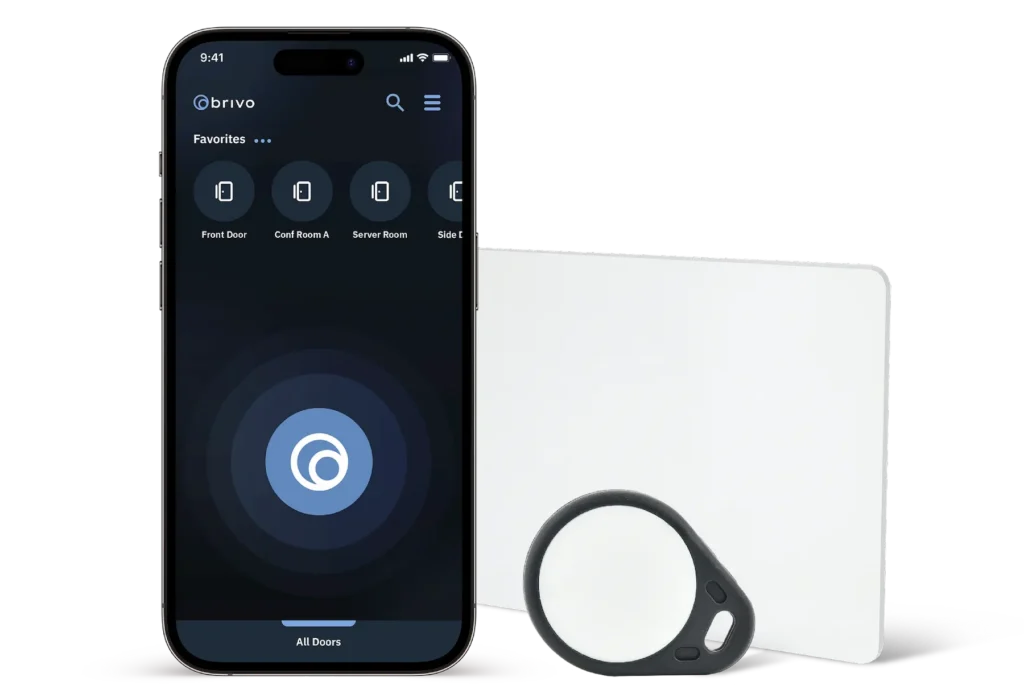
Mobile credentials let people use their phones and watches to open doors without the hassles of printing, reissuing, and managing physical badges. You can also issue digital wallet credentials and support tap-to-enter experiences that scale across locations.
Brivo Unified Credential works with many supported readers and locks to simplify rollout and administration, making access more consistent for users and easier for admins to manage.
Mobile credentials for modern teams
Issue credentials across multiple locations without printing or collecting badges. Mobile entry options like Brivo Unified Credential (BUC) provide universal compatibility across a range of readers, and digital wallet credentials for Apple Wallet and Google Wallet.
Cards, fobs, and PINS
Use dual-technology cards for a gradual migration or encrypted smart cards, such as DESFire, to enhance security on your own timeline. Set up PINs for shared spaces and short-term access, either assigned to a user or time-limited.
Credential lifecycle control
A credential program should evolve as staff and roles change. Brivo centralizes credential issuance, replacement, updates, and revocation — while keeping exception handling simple and organized.
Role-based policies and visibility
Align credentials with roles, doors, zones, and schedules to ensure consistent access across locations. If configured, policies can require two-factor authentication for higher-risk doors or time windows (for example, card plus PIN), with reporting to track credential status and activity.
Role-based policies and visibility
Align credentials with roles, doors, zones, and schedules to ensure consistent access across locations. If configured, policies can require two-factor authentication for higher-risk doors or time windows (for example, card plus PIN), with reporting to track credential status and activity.
Support modern reader standards
Use bluetooth and NFC readers, as well as mobile wallets.
Distributed Locations
Credential Management That Scales Without Friction
Brivo helps you maintain consistent policies as credential volume and change rates increase, especially for teams managing property access across multiple buildings.
If you’re expanding from one site to many, global access groups let you apply the same roles, door permissions, and schedules across locations, then adjust locally where needed.
For higher-risk zones, you can add biometrics or a second factor (where configured). Brivo can also align IT, facilities, security, and HR, so onboarding and offboarding updates flow through cleanly.
As needs change, add credentials, analytics, or new locations without re-wiring or re-installing the entire system.
Adopt AI-driven innovation with a scalable SaaS platform built to grow alongside emerging technologies.
“Our residents appreciate the mobile-first solution and our employees find the self-service solution allows them to spend more time focusing on delivering great resident experiences.”

“The Brivo system makes my job easier and frees me up for other things. With Brivo, it’s easy to find out what we need; the system doesn’t lie. It’s very easy to manage and we can focus our time on providing quality care to our patients.”

“All of our call centers and distribution centers use Brivo today. We've been able to run a highly efficient operation by having the security team able to focus on their core responsibilities instead of managing a database.”

“Out of all of the security proposals we saw, Brivo’s cloud-based access control solution was a no-brainer. It’s intuitive to use and gets the job done well.”
Platform
Access Credentials for Unified Identity and AI-Driven Security
Door events and access history
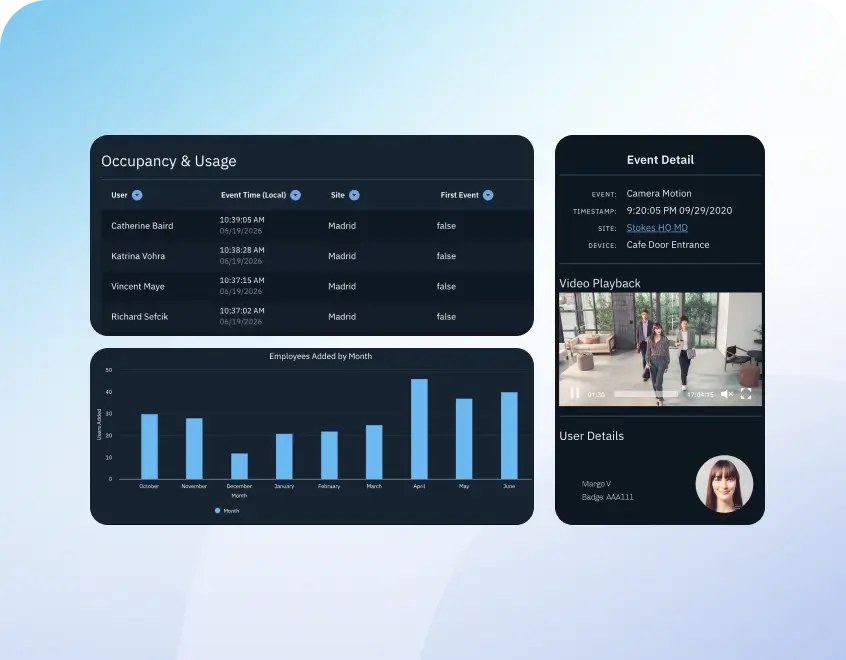
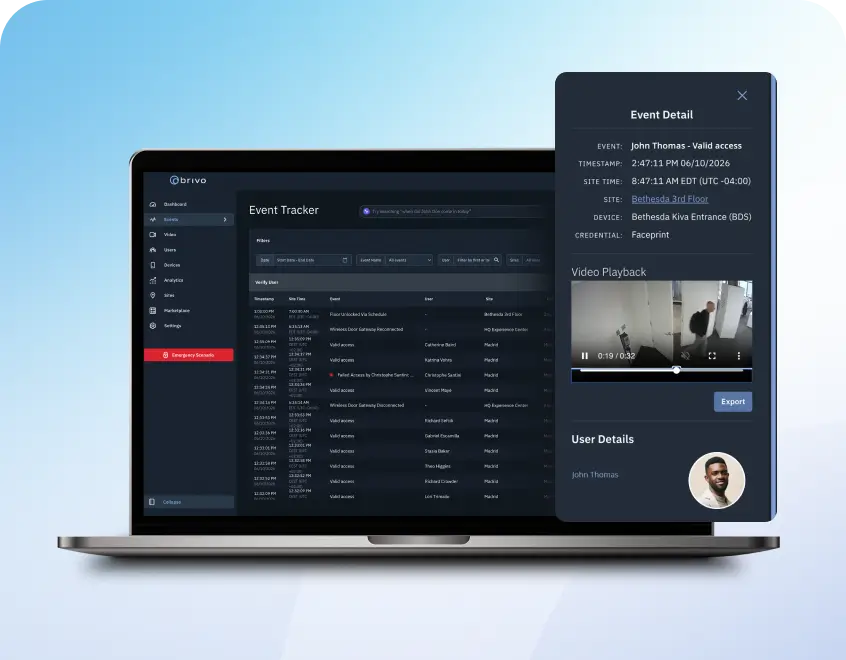
Credentials become more valuable when they can provide historical data. Brivo ties credentials to door events and access history. It helps teams understand who accessed what, when, and where, and respond with more confidence.
Video linked to access events
Jump from a door event to the live view or clip for video verification to accelerate investigations. Brivo Eagle Eye Video stores video in the cloud for easier reviewing. Teams can access, share evidence, and verify access events with a single click.
Identity and user workflows
Brivo supports user management and credential assignment to make onboarding and offboarding more consistent. It can connect to identity providers such as Microsoft Entra ID and Okta or custom workflows built with the open API technology platform.
Reporting and audit support
A modern access credential program should support more than just day-to-day access. Brivo provides event tracking and automated reporting for audits, investigations, and ongoing governance, and also integrates with intrusion detection tools.
Bring Brivo Credentials to Your Organization
Brivo Security Suite brings modern access credentials into a single, cloud-managed program built for operational readiness. Manage credentials centrally across all locations with consistent policies, clear lifecycle control, and real-time visibility. Brivo provides a scalable foundation that ensures greater consistency across teams and stronger control, all without slowing down daily operations.
Ready to learn more? Request a demo, compare credential options, or talk to an expert about the right credential mix for your locations.
What are the main types of access credentials for businesses?
Most organizations use a mix. Common access credentials include mobile credentials (including digital wallet passes), physical cards and fobs, PINs for keypad doors, and biometrics for higher-security areas. The right mix depends on your doors, user types, and how often access changes.
Are mobile credentials secure enough for commercial environments?
Yes, when they’re managed with the right controls. Mobile credentials are issued to a specific user and use encrypted communication to help protect data in transit and reduce the risk of cloning.
Access to the credential on the phone is also protected by device authentication (for example, biometrics or a passcode), depending on the user’s settings.
You can quickly update or revoke credentials if a phone is lost or access should end, and pair mobile credentials with role-based permissions, schedules, and multi-factor requirements (where configured) to match the risk level of each area.
How should businesses choose credentials for multiple sites and zones?
Start by mapping roles to zones. Public areas and common doors may only need standard credentials. Restricted rooms may require stronger policies, such as card plus PIN or biometrics, where configured.
For multi-site organizations, choose credentials that reduce administrative work (mobile and digital wallet, where possible) while providing a secure, convenient user experience. Keep physical options available for locations that need continuity.
How do credentials support fast offboarding and access revocation?
Credential lifecycle control is key. When someone leaves or changes roles, you should be able to remove access immediately across all doors and locations without collecting keys or reprogramming devices.
A centralized platform also helps prevent “credential sprawl” by keeping old credentials inactive.
Can credentials be tied to door events and video for investigations?
Yes. When credentials connect to door events, you get clear records of who accessed what and when. If video is integrated, teams can pull the related footage alongside the access event to verify what happened and build a cleaner timeline for internal review or external reporting.