




Identity Management

Commercial Identity and Access Management System

Brivo Security Suite integrates with your existing identity and access management (IAM) system to simplify physical security identity management across all locations. Simplify sign-on and day-to-day administration with Brivo Identity Connector and SSO using standards like SAML 2.0, with SCIM-based user provisioning to keep access roles in sync.

Sync users and roles from your existing directory and automatically keep access rights up to date. Our controls are designed to protect user data and are supported by industry-leading security standards, including SOC 2 Type II and ISO/IEC 27001:2022.

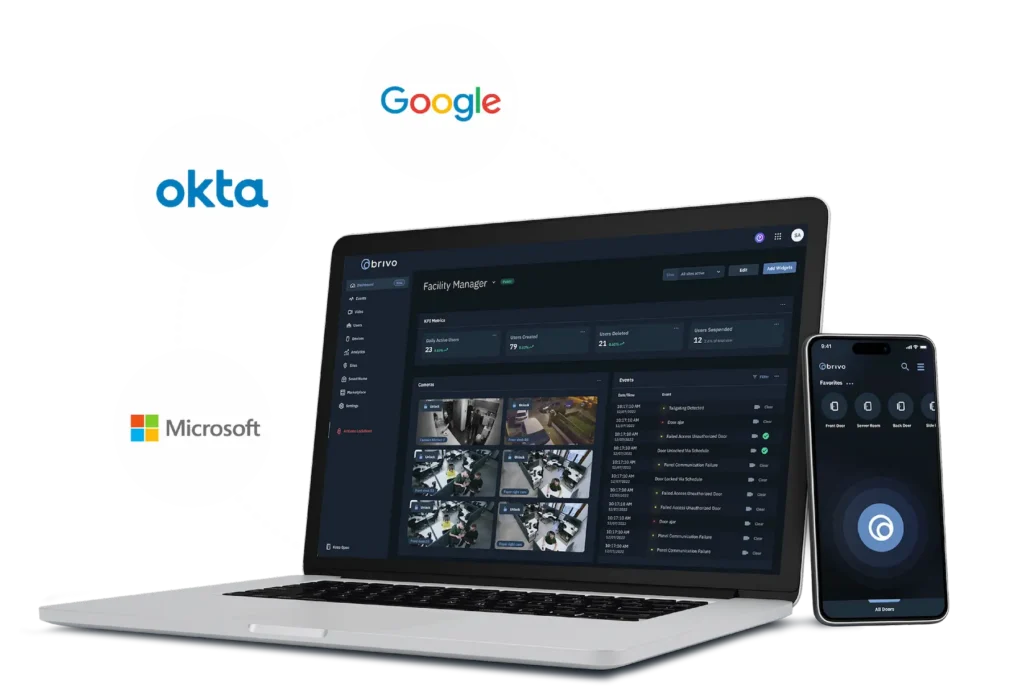
Brivo security dashboard shown on a laptop and smartphone with Google, Okta, and Microsoft logos in the background.
Centralized Operations

Unify Identities and Physical Access From Anywhere

Centralize identity data for employees, contractors, and service accounts in the directory you already use. Then, let Brivo mirror those records into physical access.

With Brivo Identity Connector, you can use SCIM-based provisioning to connect Brivo to your IAM as the single source of identity truth and control door access, mobile credentials, and admin sign-in across every location.

Sync user data with credentials

Connect your identity provider so terminations automatically suspend access and new hires and role changes stay updated.

Provision access in minutes

Set up and revoke access instantly from a single platform, rather than managing everything separately.

Customize permissions

Use role- and attribute-based permissions (RBAC/ABAC) to align access with job function, site, and schedule.

Maintain records and reports

Keep centralized audit logs and access history tied to identities to support investigations and compliance reviews.

Keep everything secure

Align with the Zero Trust framework to ensure consistent access policies and support strong authentication.

blue Curve

Recognized for Excellence

campus Safety
SIA award
SSlmvp
esx
Use Cases

Automate Provisioning to Reduce Risk and Admin Burden

Brivo uses lifecycle automation to keep user and access rights in sync across your physical security stack. Manage everything centrally, from onboarding and role changes to temporary access and removing permissions. Doors, mobile credentials, and visitor permissions stay aligned with your source of truth.

Save time with automated processes

Cut admin work with SCIM-based user provisioning and lifecycle updates, including automatic updates when a user’s status changes in your IdP.

Ensure permissions stay up to date

Lower security risk by eliminating stale or orphaned access as people change roles or leave. Revoke access privileges in seconds.

Improve audit readiness

Maintain cleaner access records and clearer visibility into who had access to what, and when.

Stay consistent across locations

Reduce access errors by applying policy-based permissions across sites and groups.

Protect facilities from potential bad actors

Revoke access privileges in seconds when someone departs, a contract ends, or a device is lost.

Support modern reader standards

Use bluetooth and NFC readers, as well as mobile wallets.

Platform

Connect IT Directories With Physical Access

Brivo Security Suite uses Brivo Identity Connector and open APIs to link your enterprise IAM and directory platforms to Brivo Access. Identity data stays in your IdP as the source of truth. Meanwhile, Brivo integrates users, groups, and attributes into physical access control, keeping authentication and permissions aligned without additional manual effort.

Person typing code on a laptop with a second laptop displaying a dark dashboard in the background.

Sync identities from major directories like Okta, Microsoft Entra ID, and Google Workspace to keep door and credential access aligned with authoritative records.

Use the Brivo Identity Connector to enable admins to sign in to your existing IAM platform via SAML 2.0, reducing password fatigue and facilitating access while adhering to your corporate policies.

Extend capabilities through Brivo integration partners to connect access control with workplace, HR, IT, and security tools in the Integration Marketplace.

Adopt AI-driven innovation with a scalable SaaS platform built to grow alongside emerging technologies.

Unified Physical Security

Combine Identity And Access Management to Elevate Your Security System

Brivo Security Suite unifies access, video, visitor management, and intrusion detection in a single cloud platform, with users, roles, and credentials at the center. Identity changes in your IT systems automatically map to physical access rights. This way, every event carries clear current context about who the user is, where they are, and what they are allowed to do.

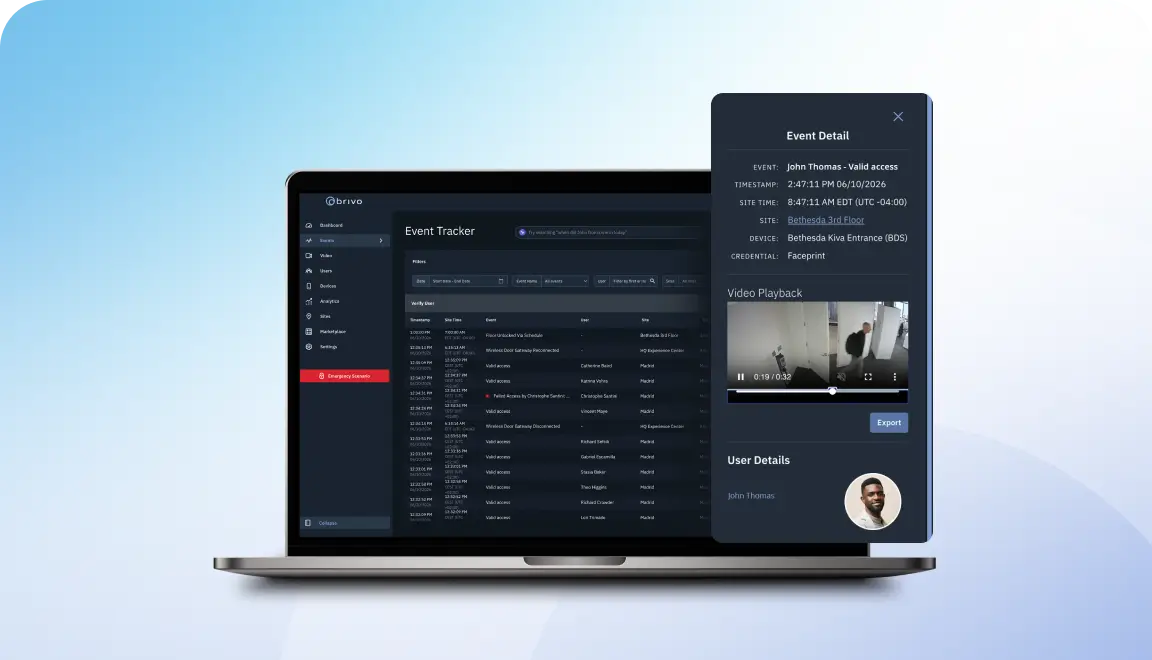
Laptop screen shows a dark analytics dashboard labeled 'Event Tracker' with a right-side event detail panel containing a video player and user info.
Real-time identity context in video events

See access activity and associated user details next to the relevant video to make faster decisions.

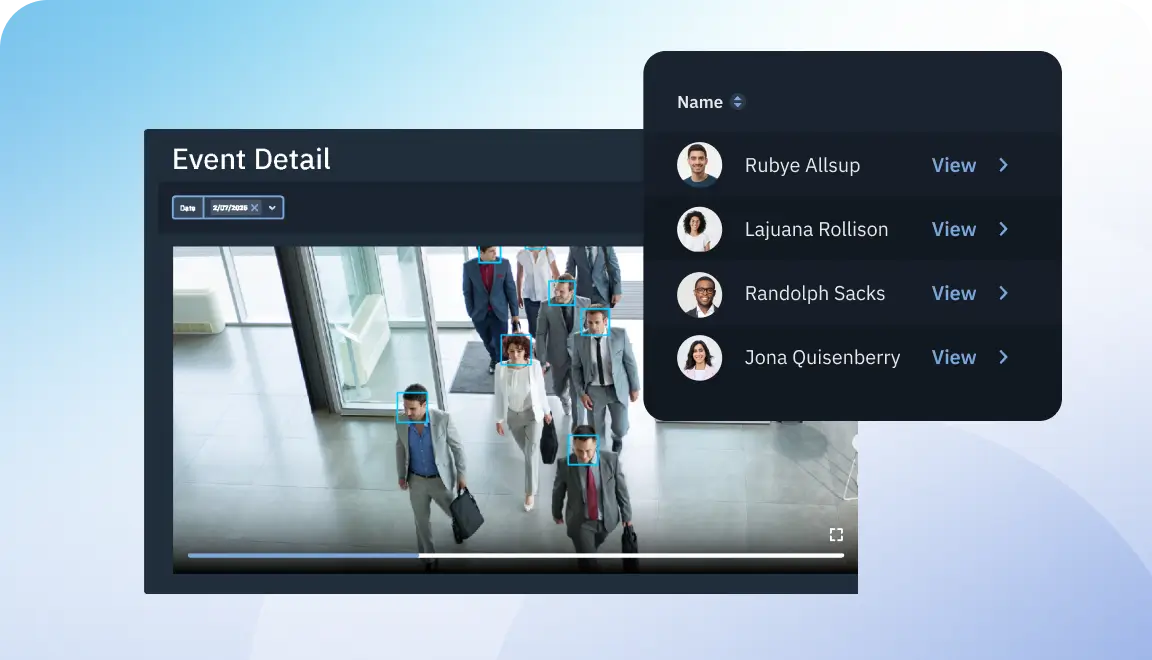
Video player showing people with blue face boxes and a floating 'Name' panel listing four individuals with View links.
Better situational awareness during incidents

Know which users were in affected areas at specific times to guide response and follow-up.

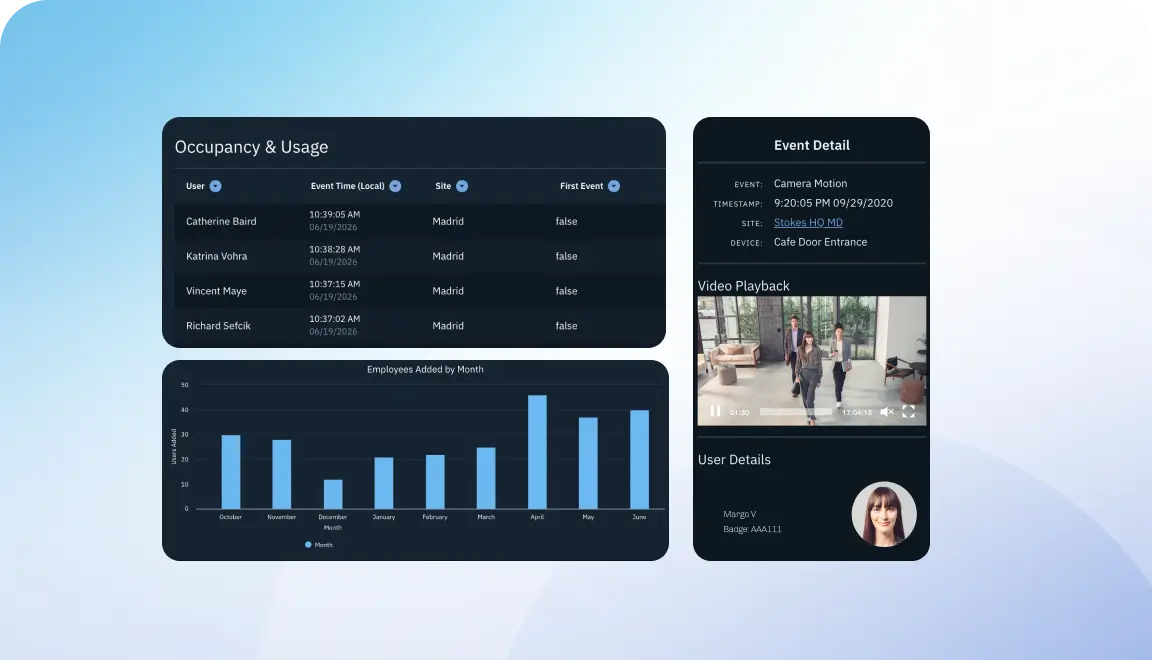
Three dark UI panels on a blue gradient background: left panel shows Occupancy & Usage table and a 'Employees Added by Month' bar chart; right panel displays an Event Detail card with a video playback and user details.
User and facility usage trends

Analyze access patterns by role, site, and time to refine policies, staffing, and long-term space planning. Plus, you can also monitor hybrid policies.

apis
Open APIs for IT/OT
Sync identities, building management system (BMS) signals, and visitor systems.

Bring Modern Access Control to Your Organization

With Brivo Security Suite, you can manage sites remotely, issue mobile credentials in minutes, respond to incidents quickly, and review real-time logs for evidence and audits. It works with a range of readers, builds on the systems you already have, and scales with your expansion into new locations.

Common Questions About Commercial IAM Integration

More questions?

Does Brivo support MFA/passkeys and SCIM?

Yes. Brivo supports multi-factor authentication (MFA) for Brivo Security Suite logins, including time-based codes via authenticator apps.

When you use SSO with providers like Okta or Microsoft Entra ID, any MFA policies enforced by your identity provider apply before users reach Brivo.

Brivo Identity Connector uses a SCIM endpoint to sync users and groups from directories such as Entra ID and Okta into Brivo Access.

How are offboarding and contractors handled?

Brivo Identity Connector pulls lifecycle changes from your IAM directory, so new hires, role changes, and deactivations automatically flow into Brivo Security Suite.

When a user or contractor is disabled or removed in systems like Entra ID or Okta, their Brivo account and associated physical permissions are deactivated. This helps to prevent stale or orphaned access.

Which systems can Brivo integrate with, and what data typically flows between them?

Brivo integrates with major IAM and directory platforms, including Microsoft Entra ID (Azure AD), Okta, and Google Workspace, via the Brivo Identity Connector. It also offers a broad set of workplace, video, and property tools through integrations. 

From IAM systems, Brivo typically syncs users, groups, and selected attributes. It then uses its open API and integrations to share access events, door and user IDs, and related context with partner platforms, including HR, and presence tools.

How does directory sync work with Brivo Identity Connector in an enterprise environment?

Identity Connector is configured as a system for cross-domain identity management (SCIM) provisioning app in your directory.

You map which users and groups should sync, and the connector regularly pushes user creations, updates, deactivations, and group memberships from Entra ID or Okta into Brivo Access. This helps your physical permissions stay aligned with your source of truth.

What do integrations improve from a security and operations standpoint?

Integrations replace manual updates with directory-driven sync, reducing administrative effort and the risk of lingering access or inaccuracies.

When you connect IAM, cameras, and other systems to Brivo via its open API and integrations, you can access events and video in one view. This helps your teams investigate incidents and prove compliance more effectively.