
Beveiligingscamera's voor bedrijven

Videobewaking
Geïntegreerde cameraoplossingen voor elke beveiligingsuitdaging
Het geïntegreerde videobeheersysteem van Brivo integreert camera’s in dezelfde workflows als toegangscontrole, inbraakdetectie en gebeurtenisbeheer, wat zorgt voor een end-to-end beveiligingsaanpak. Dankzij AI-functies doen de camera’s meer dan alleen maar toekijken, waardoor uw beveiliging niet langer reactief is, maar proactief.
Brivo biedt flexibele installatiemogelijkheden, verschillende bevestigingswijzen, verschillende resoluties en gespecialiseerde sensoren, zodat u de camera kunt afstemmen op de ruimte in plaats van overal één en dezelfde vormfactor te moeten gebruiken.
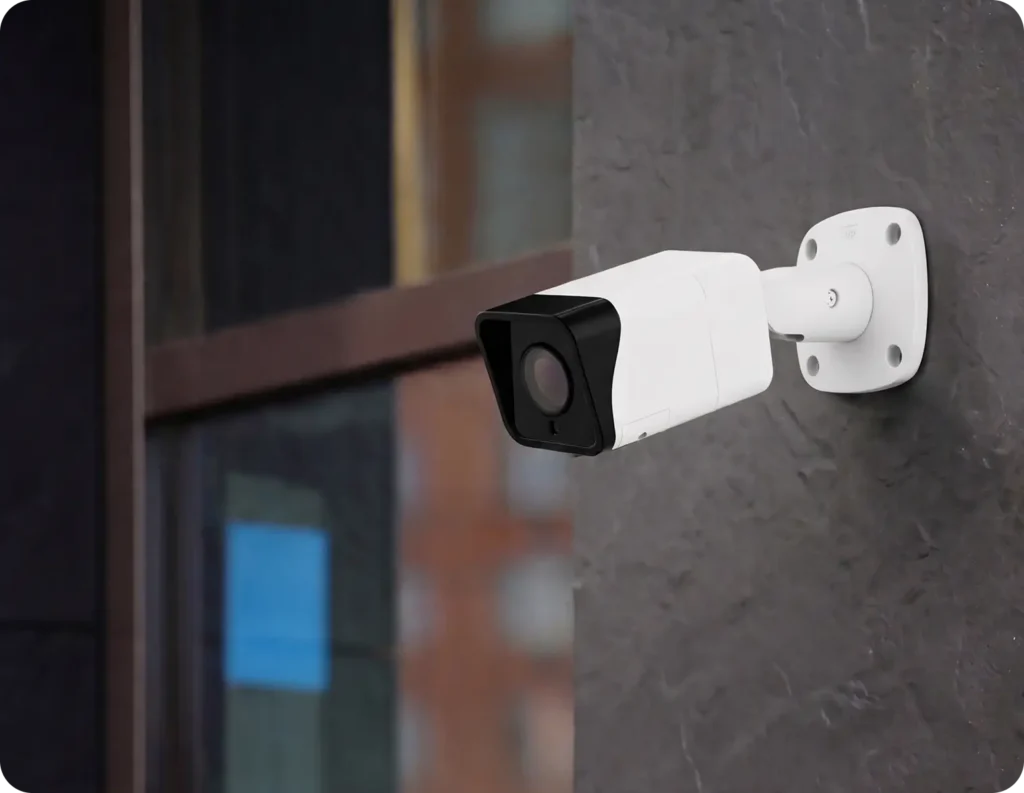
Uitgebreide bescherming
Hoe kies je de juiste camera voor elke ruimte?

In- en uitgangen

Receptie en lobby’s
Gangen en knelpunten
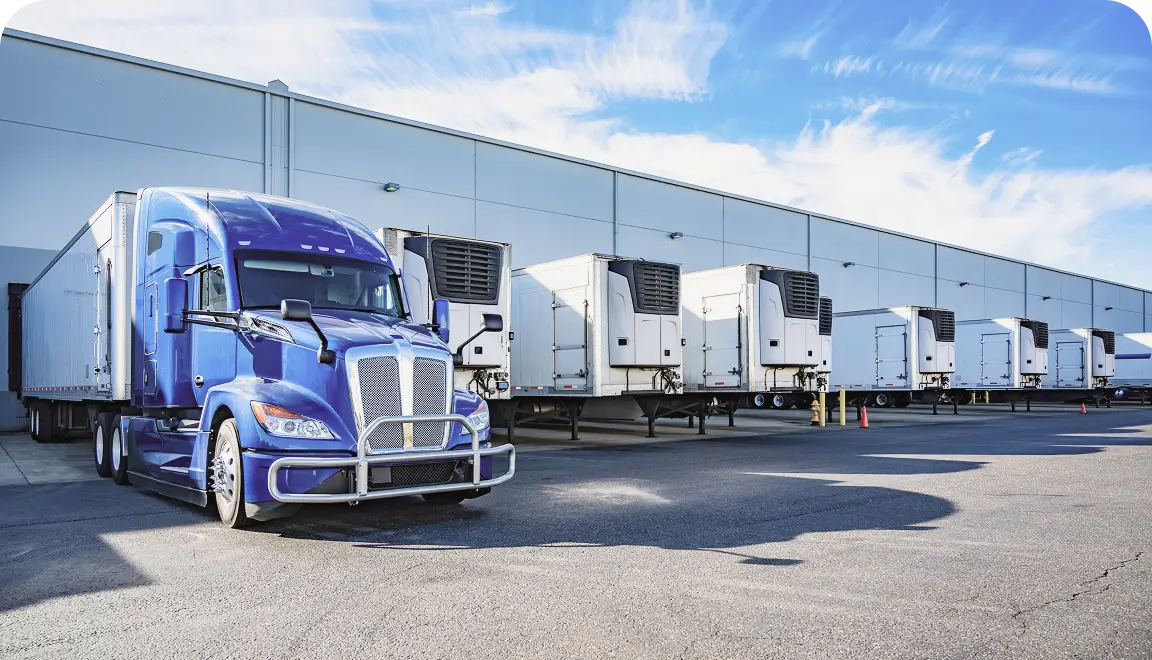
Laadperrons en parkeerplaatsen
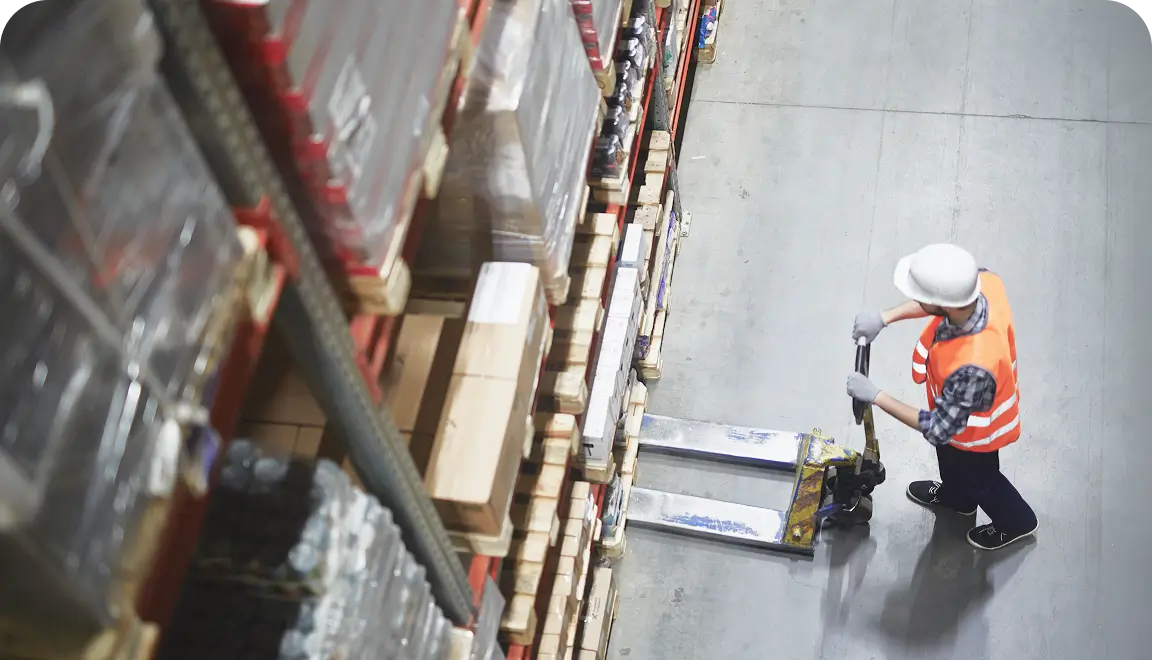
Magazijnen en open ruimtes
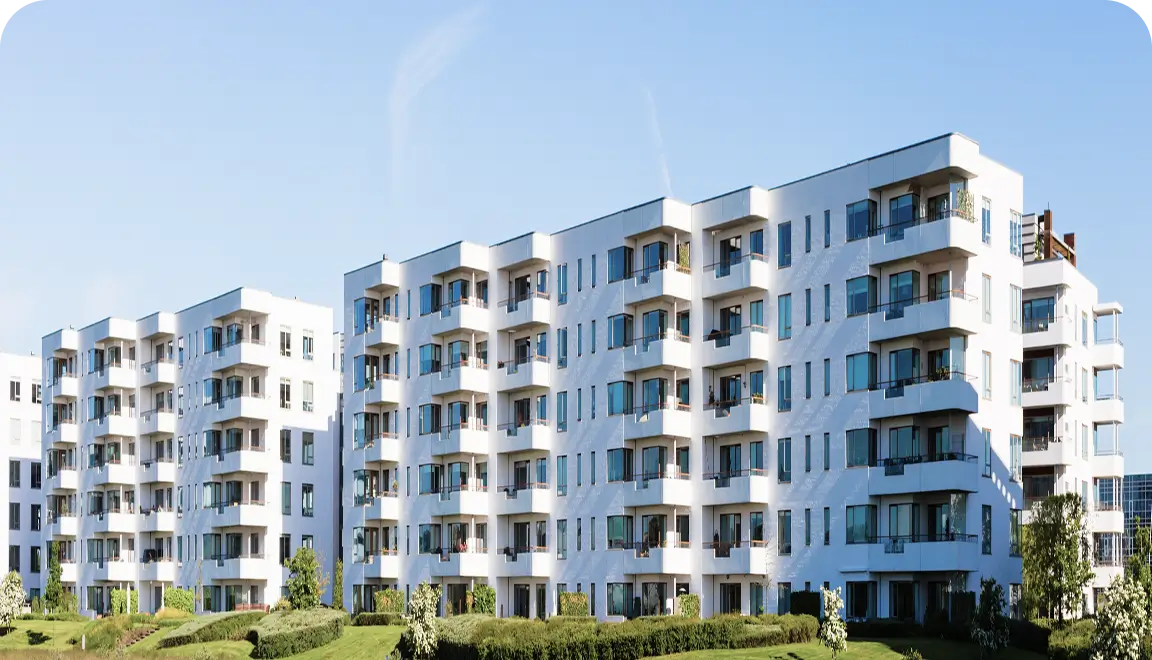
Buitenperimeters.
Technische gegevens
Brivo Eagle Eye Pro-serie camera's voor vrijwel elke situatie
Het geïntegreerde videobeheersysteem van Brivo werkt met elke camera, maar elk model heeft verschillende specificaties en mogelijkheden, waardoor het voor verschillende toepassingen geschikt is. Maak met een gerust hart een keuze wanneer u klaar bent om uw camera’s te vernieuwen. Brivo Eagle Eye Pro-camera’s zijn geschikt voor de meeste situaties, zodat u daar bij het samenstellen van uw systeem geen rekening mee hoeft te houden.
Geen overweldigende specificatielijsten of keuzestress — gewoon de juiste camera voor uw specifieke beveiligingsbehoeften.
Zes modellen, diverse formaten
Kies opties voor bullet-, dome- en turret-camera’s die aansluiten bij de montagebeperkingen en de gewenste dekkingsdoelstellingen voor een beveiligingscamerasysteem voor bedrijven.
5 MP-sensoren in het hele assortiment
Een consistente resolutie draagt bij aan een voorspelbare beeldkwaliteit en maakt het eenvoudiger om voor alle locaties een uniforme definitie van „goede dekking“ vast te stellen.
Constructie met beschermingsklasse IP66
De weerbestendige behuizing zorgt ervoor dat het apparaat ook onder zware omstandigheden, zoals door de wind meegevoerde regen, stof en temperatuurschommelingen, betrouwbaar buiten kan functioneren.
Opties met vaste en variabele brandpuntsafstand
Kies een vaste lens van 2,8 mm of een gemotoriseerde varifocale lens van 2,7–13,5 mm voor praktische controle over de beeldkadrering.
Audio en I/O voor integraties
Geïntegreerde audio-in- en -uitgangen en fysieke I/O-poorten ondersteunen automatiseringsscenario's, waaronder triggers op basis van deurgeschiedenissen en alarmen.
30 m IR plus 10 jaar garantie
De infraroodverlichting zorgt voor nachtzicht tot 30 meter en wordt gedekt door een zorgeloze garantie van 10 jaar, zodat u er op lange termijn op kunt vertrouwen.
Hardware
Cameratypen voor elke toepassing
Laat je niet vastpinnen op één bepaald cameramerk of -model, en laat je niet dwingen om je bestaande camera’s te verwijderen en te vervangen. Brivo Eagle Eye Video ondersteunt meer meer dan 8.000 ccamera’s van alle toonaangevende fabrikanten, maar als u op zoek bent naar nieuwe camera’s, bieden de Brivo Eagle Eye-camera’s een veilige, plug-and-play-installatie.
Er is nog meer, dus neem een kijkje op onze
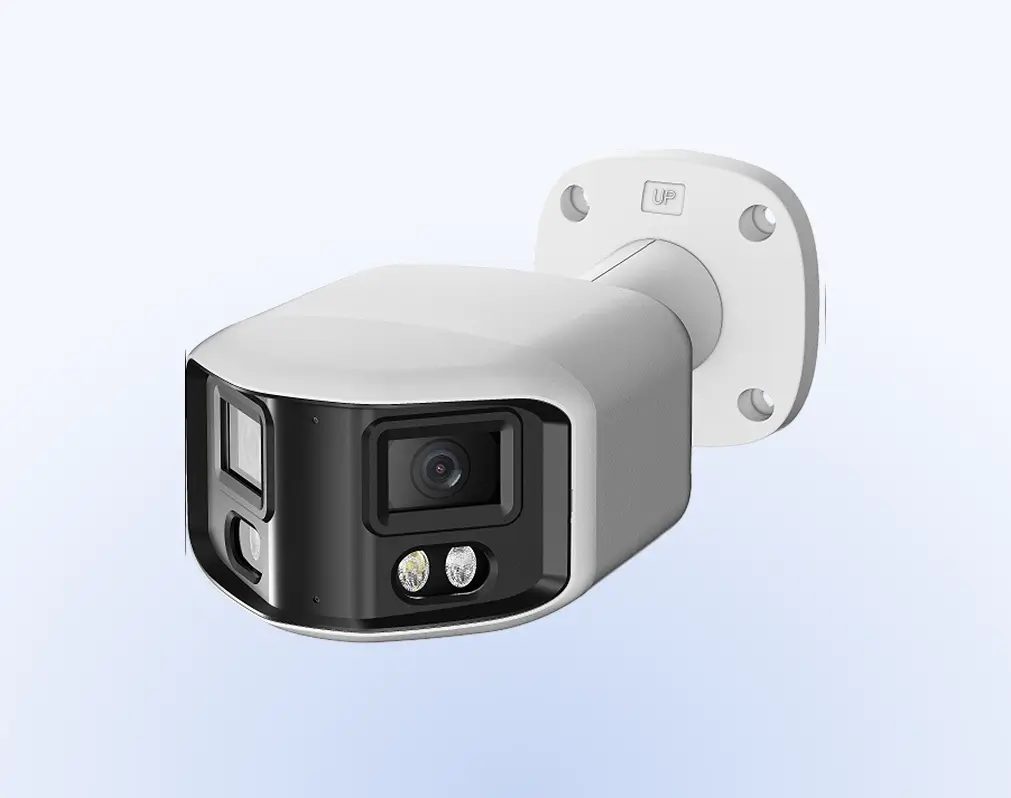
Camera's met meerdere sensoren
DX01: 180° panoramisch en DX02: 360° multidirectioneel zijn de best verkochte Brivo Eagle Eye camera’s. Beide bieden een uitstekende prijs-kwaliteitverhouding dankzij hun onopvallende ontwerp en concurrerende prijs, waardoor een uitgebreide dekking mogelijk is zonder dat er meerdere camera’s hoeven te worden geïnstalleerd.

Extreem weinig licht
De DT03: Full-Color in Darkness levert full-colourbeelden in omgevingen met zeer weinig licht. Ze zorgen voor een duidelijker zicht buiten de normale uren, iets wat standaardcamera’s vaak niet kunnen bieden.
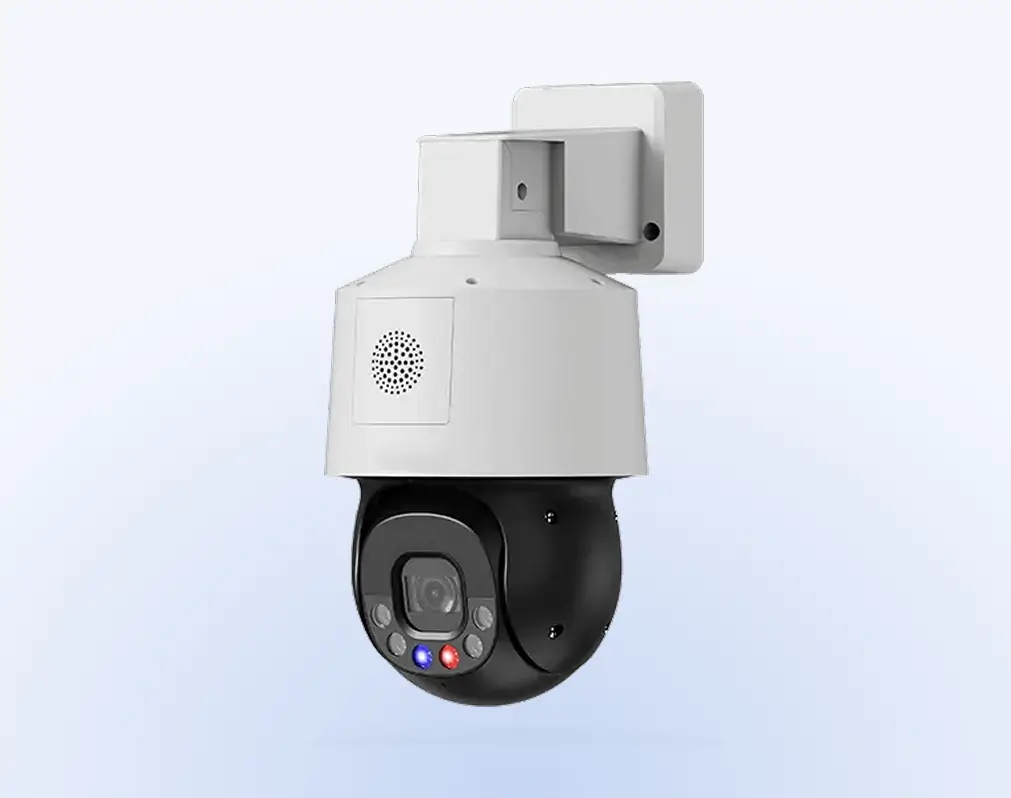
PTZ-camera's
PTZ-camera’s (Pan-Tilt-Zoom) zijn op afstand bedienbare of geautomatiseerde apparaten met gemotoriseerde mechanismen waarmee ze kunnen draaien, kantelen en zoomen. Dankzij deze mogelijkheden zijn ze uitermate geschikt voor actieve bewaking. Tot de modellen behoren de DZ05: miniatuur-PTZ en de DZ06: PTZ voor extreem weinig licht.
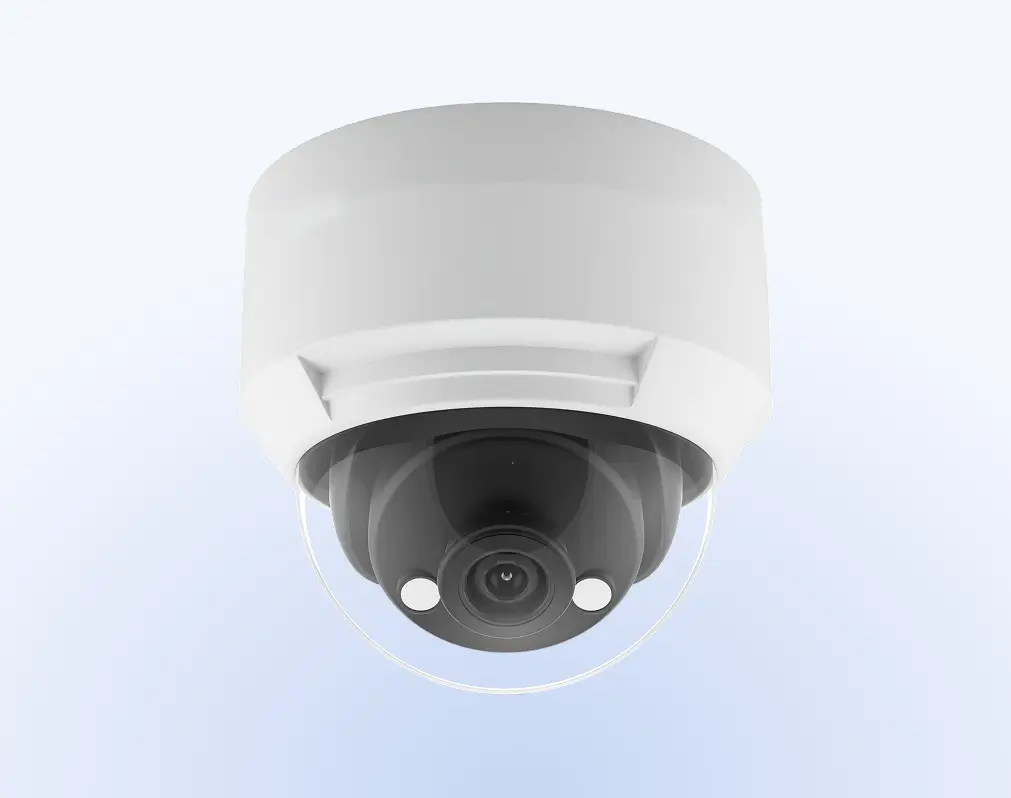
Koepelcamera's
Dome-camera’s zijn voorzien van compacte, beschermende behuizingen voor montage binnen of buiten. Ze maken onopvallende bewaking met een brede beeldhoek mogelijk in openbare ruimtes en beveiligde gebieden.
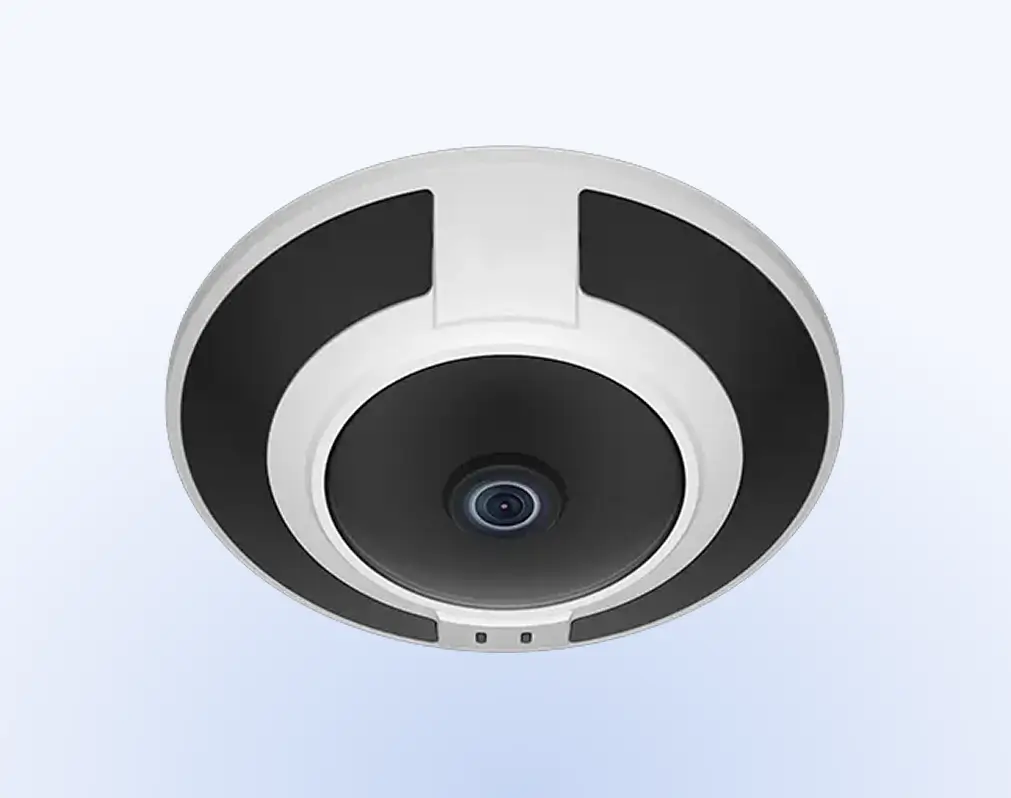
Fisheye
De DF04 is de Brivo Eagle Eye fisheye-camera. Fisheye-camera’s maken gebruik van ultragroothoeklenzen om panoramische beelden van 180 tot 360 graden vast te leggen. Ze bieden een breed beeldveld vanuit één enkel bevestigingspunt.
Brivo Beveiligingssuite
De voordelen van werken in de cloud
Brivo Security Suite is de cloudgebaseerde besturings- en centrale toezichtlaag voor elk deurslot en elke lezer in uw systeem. Met cloudgebaseerde toegangscontrole kunt u deuren op verschillende locaties configureren en bewaken, beleidsregels handhaven en reageren op incidenten zonder dat u servers ter plaatse of slotapparatuur hoeft aan te raken.
Cloudarchitectuur
Beheer locaties vanaf elke locatie, zonder dat u servers hoeft te onderhouden, zodat uw team minder tijd kwijt is aan updates en meer tijd kan besteden aan de beveiliging van de deuren.
Versleuteling
Gebruik TLS tijdens de overdracht en AES-256 bij opslag om inloggegevens, videolinks en deurlogboeken te beschermen tegen onderschepping en misbruik.
Beveiligingsprogramma
Geeft een waarschuwing af wanneer er onbevoegde toegang plaatsvindt en bewaakt virtuele grenzen ter ondersteuning van de perimeterbeveiliging bij leveringsdeuren, toegangen tot het dak en omheinde zones.
Op rollen gebaseerd beheer
Detecteert langdurige aanwezigheid in gebieden met toegangsbeperkingen om snellere interventie buiten kantooruren mogelijk te maken.
Single sign-on (SSO)
Maak verbinding met Azure AD, Okta en andere identiteitsproviders (IdP's), zodat gebruikers zich kunnen aanmelden met hun bestaande identiteiten, en pas MFA- en levenscyclusbeleidsregels vanaf één plek toe.
Centraal beheer en beheer van toegangsrechten
Intrek toegangsrechten, haal realtime logbestanden op en schort gebruikers in bulk op of activeer ze weer, zodat de juiste mensen in de juiste ruimtes blijven.
Lees meer over het beheren van toegang op afstand in
Industrieën
Cloudgebaseerde besturing
In de Brivo Security Suite beheert u de deuren, toegangsrechten en het op afstand ontgrendelen, terwijl de sloten op elke locatie het fysieke werk uitvoeren.
Onderneming
Breid de wereldwijde deurbeveiliging uit met cloudbeheer, single sign-on en uniforme beleidsafdwinging op alle locaties, ondersteund door realtime, auditklare deurlogboeken.
Meergezinswoningen
Bied bewoners toegang via mobiele telefoon, kaart of sleutelhanger en beheer woningen, gemeenschappelijke ruimtes en voorzieningen vanaf één enkele console.
Commercieel
Zorg ervoor dat de dagelijkse bedrijfsvoering soepel verloopt dankzij cloudgebaseerde beheerfuncties voor de toegang van huurders en leveranciers, aangevuld met monitoring en waarschuwingen in alle gebouwen.
Of u nu winkels, klinieken, campussen of kantoren beheert: met commerciële deursloten kunt u de toegang buiten openingstijden, tijdelijke toegang of toegang voor leveranciers regelen zonder dat u ter plaatse hoeft te zijn. Stel de regels eenmalig in, bekijk de logboeken in realtime en zorg dat alles soepel verloopt.
Winkelketens
Leveringen buiten kantooruren, toegang voor leveranciers en onmiddellijke buitensluitingen.
Gezondheidszorg
Beveiliging van medicijnen en laboratoriummateriaal, toegang voor tijdelijk personeel en volledige audittrajecten.
Educatie
Leslokalen en evenementen, of snelle vervangingen voor kwijtgeraakte badges.
Commercieel vastgoed
Toegang voor nieuwe huurders, deuren naar gemeenschappelijke voorzieningen en toegangskaarten voor aannemers.
Productie en logistiek
Laaddeuren en -kooien of ontgrendeling op afstand voor geplande leveringen.
Waarschuwingen en gebeurtenisbeheer
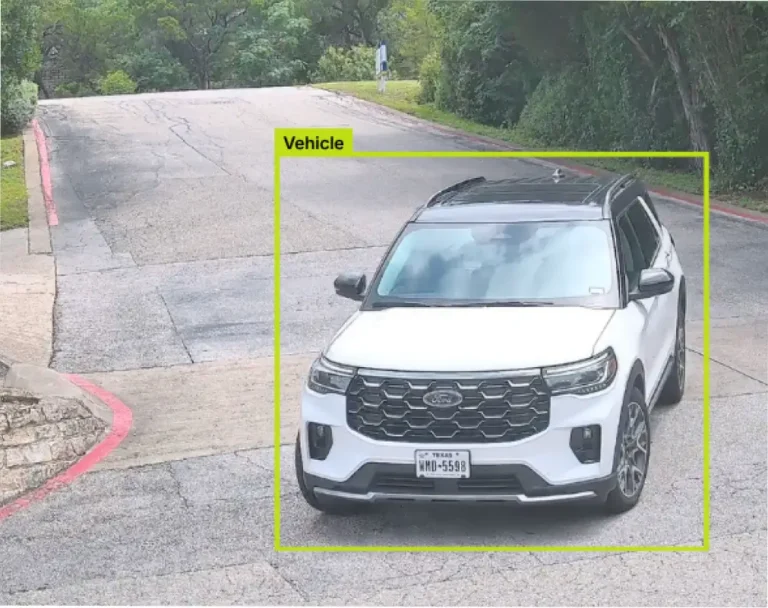
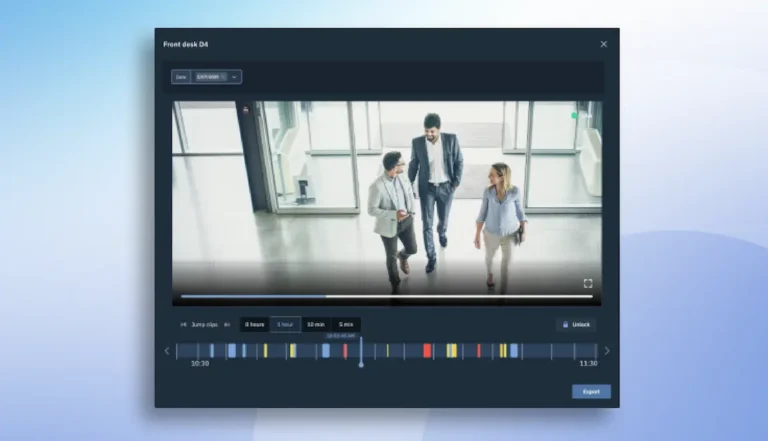
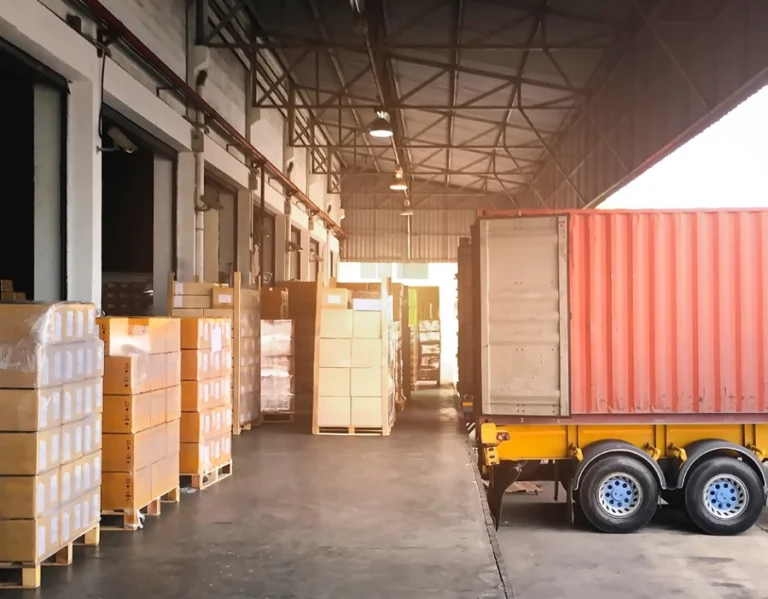
Intelligente videoanalyse met camera’s uit de Brivo Eagle Eye Pro-serie
Dankzij de kracht van edge-AI die in deze camera’s is ingebouwd, kunt u profiteren van extra analyses en functionaliteiten.

Uitgaven
Brivo Security Suite, speciaal voor u op maat gemaakt
Kies de editie van de Brivo Security Suite die op dit moment het beste bij uw behoeften past, met ruimte om meer functies toe te voegen naarmate uw beveiligingsprogramma en -portfolio groeien.
Veelgestelde vragen over beveiligingscamera’s
Welke soorten camera's ondersteunt Brivo (binnen, buiten, PTZ, fisheye, enz.)?
Brivo biedt een oplossing voor fysieke beveiliging die beelden van IP-camera’s koppelt aan toegangsgebeurtenissen en deze beelden opslaat op een apparaat, in de cloud of op beide locaties. U kunt kiezen uit de formaten die voor uw locaties geschikt zijn, waaronder modellen voor binnen en buiten, PTZ-camera’s en panoramische opties. Het platform koppelt videobeelden aan deuren en gebeurtenissen, zodat u deze sneller kunt bekijken.
Voldoen Brivo-camera’s aan de NDAA-voorschriften en zijn ze geschikt voor gebruik door de overheid?
Brivo kan worden geïntegreerd met zowel eigen als externe videobeheersystemen (VMS) en camera-ecosystemen.
Of de camera voldoet aan de NDAA-voorschriften, hangt af van de specifieke leverancier en het model dat u kiest. Controleer of de camera voldoet aan de voorschriften in het gegevensblad van de fabrikant of in de conformiteitsdocumentatie voor het exacte model dat u van plan bent te gebruiken.
Brivo beschrijft de integratie met OpenEye in zijn ondersteuningscentrum, inclusief instructies voor beheerders om OpenEye-camera's in Brivo Access te integreren voor het verifiëren van gebeurtenissen.
Hoe bepaal ik welke camera geschikt is voor mijn omgeving?
Stem het gezichtsveld, de vereisten voor weinig licht/WDR en de plaatsing af op het risico dat u wilt aanpakken. Koppel vervolgens die streams aan Brivo Security Suite, zodat deurgebeurtenissen en videoclips aan elkaar worden gekoppeld voor onderzoek. Brivo laat zien hoe videobeelden en toegangscontrole met elkaar samenhangen, zodat u de beelden sneller kunt bekijken.
Kunnen Brivo-camera’s worden gebruikt in combinatie met videobeheersystemen van andere merken dan Brivo?
Ja. Dit hangt af van wat het VMS ondersteunt, zoals ONVIF-camera’s. Brivo Eagle Eye Video kan worden geïntegreerd met meer dan 8.000 camera’s en Brivo Security Suite kan worden geïntegreerd met VMS-oplossingen van andere leveranciers. Dit betekent dat je bestaande investeringen kunt behouden en tegelijkertijd video kunt koppelen aan de toegangsactiviteit in Brivo.
Lees meer over de Brivo Security Suite en de mogelijkheden van Brivo Snapshot mogelijkheden.
Wat zijn de stroom- en netwerkeisen voor de installatie?
De vereisten verschillen per camera, maar de meeste zakelijke IP-camera’s maken gebruik van Ethernet met PoE en standaard netwerkverbindingen. Brivo biedt installatiehulpbronnen en handleidingen om u bij de installatie te begeleiden, evenals documentatie van partners.
Ondersteunen Brivo-camera’s analysefuncties of op AI gebaseerde functies?
De beschikbaarheid van analysefuncties hangt af van de videoplatform waarmee u verbinding maakt. Het geïntegreerde platform van Brivo koppelt videobeelden aan toegangsgebeurtenissen en biedt video-informatie binnen de Security Suite.
Brivo Video beschikt over een breed scala aan geavanceerde, door AI aangestuurde videoanalysetools die kunnen worden toegepast op vrijwel elke camera die is aangesloten op hun cloudplatform.
Dit omvat onder meer nauwkeurige detectie van personen en voertuigen, inbraakdetectie, het overschrijden van lijnen, rondhangen, het tellen van objecten, sabotage van camera’s, kentekenherkenning (LPR), slimme videzoekfuncties, wapenherkenning en veiligheidsmonitoring. Geavanceerde analyses zijn mogelijk via ondersteunde VMS-integraties.
Welke opties voor video-opslag zijn er bij Brivo-camera’s?
De opties voor video-opslag zijn afhankelijk van de manier waarop u Brivo Eagle Eye Video implementeert. Met Brivo Eagle Eye Cloud-Premise Flex Storage kunnen organisaties video opslaan in de cloud, op locatie of in een hybride model, afhankelijk van bewaardoelstellingen, bandbreedte en operationele behoeften.
De bewaar- en abonnementsopties variëren afhankelijk van de resolutie en de bewaartermijn, en de opslag op locatie is afhankelijk van de lokale opslagcapaciteit bij gebruik van een Cloud-Managed Video Recorder (CMVR).
Welke mogelijkheden heb ik om nieuwe camera's te bevestigen?
Er zijn tal van bevestigingsmogelijkheden, en wat je nodig hebt, hangt sterk af van het type camera en de plek waar je deze wilt plaatsen. Gelukkig zijn er tal van flexibele bevestigingsoplossingen die in elke situatie een professionele installatie garanderen:
- Wandbeugels: Zet camera's op een vlakke ondergrond om de kijkhoeken en het bereik te verbeteren.
- Plafondkappen: Plafondmontage met een strakke, professionele uitstraling voor gebruik binnenshuis.
- Inbouwdozen: Beschermen de bedradingsaansluitingen en zorgen voor een verzonken montage voor een onopvallendere installatie.
- Hoekbevestigingen: Maximaliseer de dekking op hoeken van gebouwen door twee gezichtsvelden tegelijk vast te leggen.
- Paalbevestigingen: Verhoogde plaatsing voor perimeterbewaking, parkeerterreinen en buitengebieden waar hoogte nodig is.
Welke opties voor back-upredundantie zijn er beschikbaar voor de Brivo-camera’s?
Redundantie kan op verschillende punten in het systeem worden gerealiseerd. We kunnen videobeelden in de buffer opslaan voor het geval de internetverbinding uitvalt, waardoor onderbrekingen tijdens korte storingen worden beperkt. Voor hogere beschikbaarheidseisen, Brivo beschrijft tevens redundante Bridge- en CMVR-configuraties met actieve failover. Deze configuraties zorgen voor een ononderbroken werking in omgevingen waar een grotere veerkracht vereist is.